An offline vault for
configuration and secrets.
Your vault stays on your device or your team's server.
Know every change. Share your exports as encrypted .kpvault files.
v1.1.2 Latest Windows · macOS · Linux. The Free plan needs no sign-up.
 KeyPulse
Your browser, editor and terminal connect to KeyPulse on your computer. Nothing goes through the internet.
Pro needs Pro or the trial. Team needs a team server. Everything else is in the Free plan.
Two ways to share.
.kpvault file yourself. Send the passphrase separately. Every project and environment in one window.
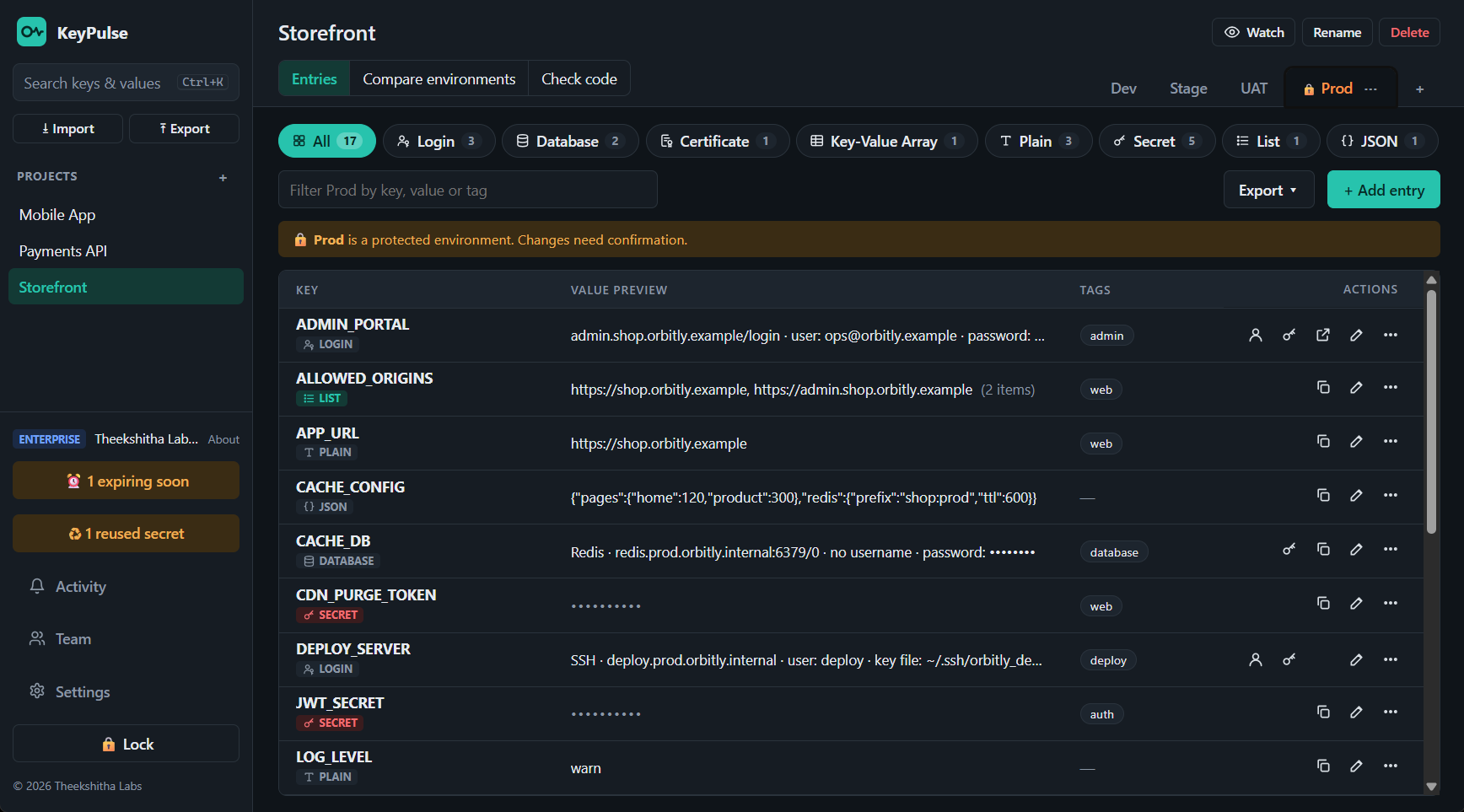
Which value does Prod have?
Keys live in .env files, chat messages, spreadsheets and people's memory. A new
developer waits a day for access. A release breaks because Prod is missing one key. Nobody knows who
changed the payment key last week.
Ten copies of the same secret, each a little different.
Stage has a key that Prod never got.
No history, no owner, no expiry date.
Built around environments, not websites.
Password managers store logins for people. KeyPulse stores the keys, connection strings and certificates behind every environment of every project.
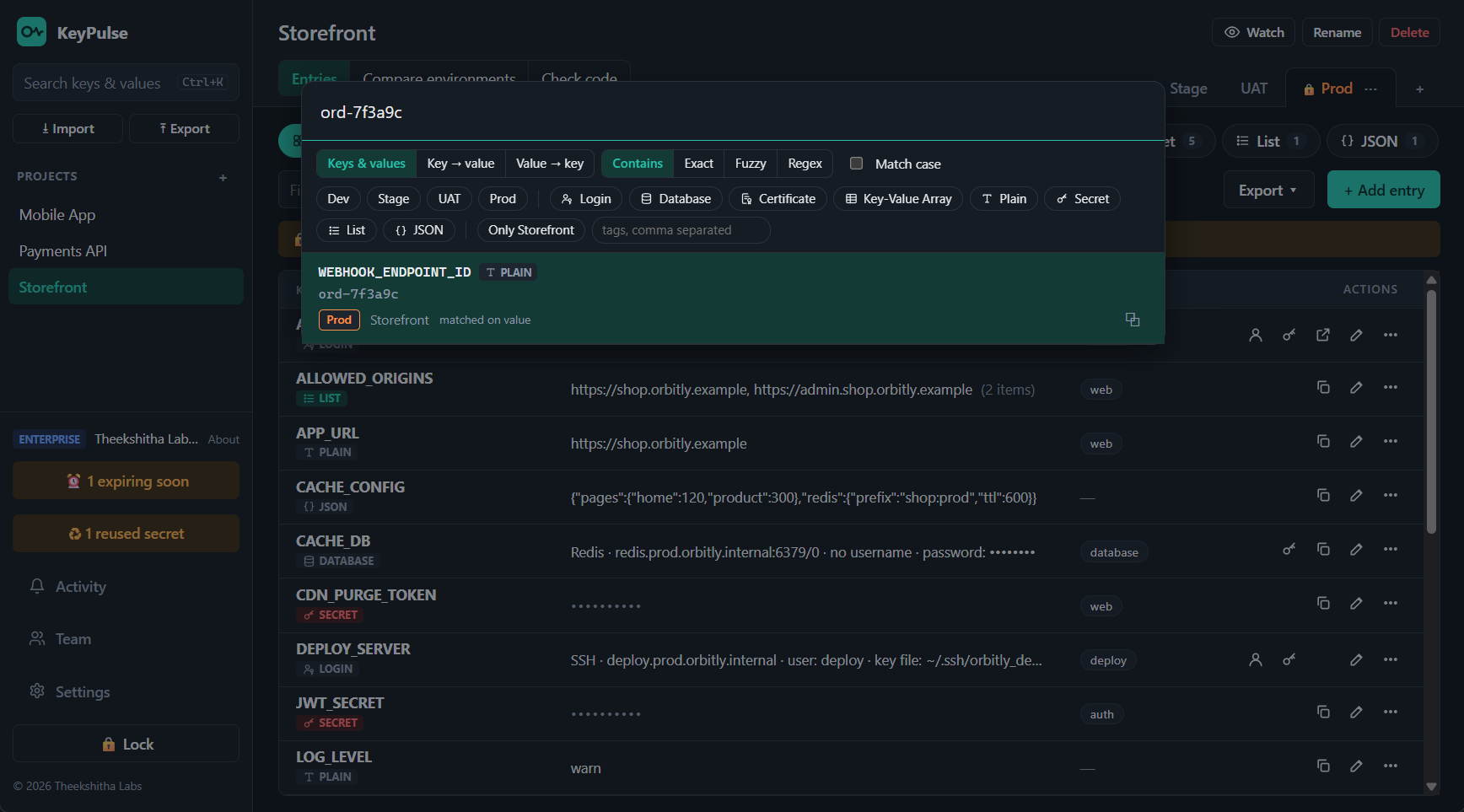
Search both ways
Find a value from its key, or paste a value from a log and find which key, project and environment it belongs to.
- Ctrl+K from anywhere in the app
- Nested JSON paths like
redis.ttland list items - Exact, contains, fuzzy and regex
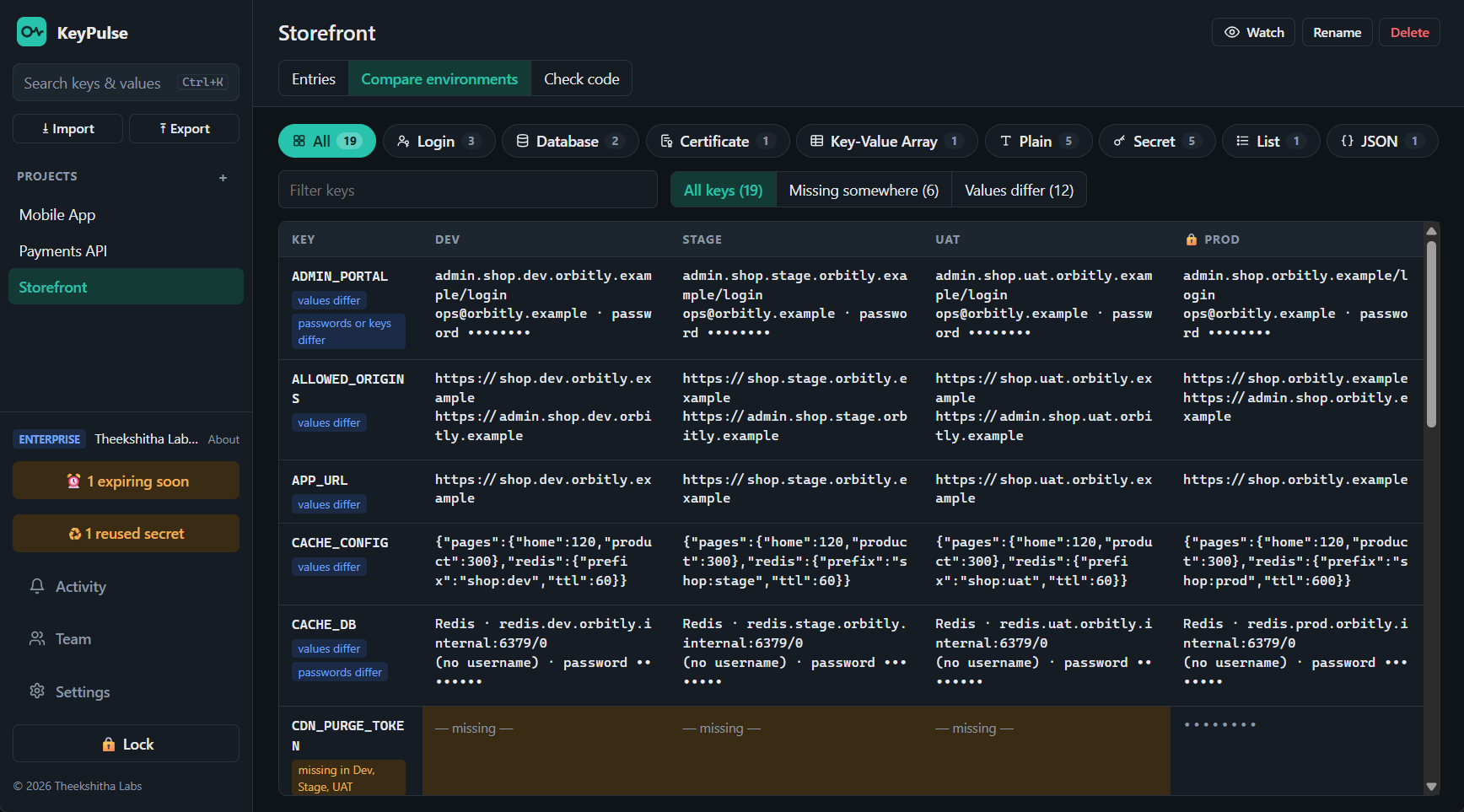
Compare environments
See which keys Prod is missing and which values differ before you release, not after.
- Every environment side by side, Dev to Prod
- Missing, extra and different keys
- Secrets compared without showing them
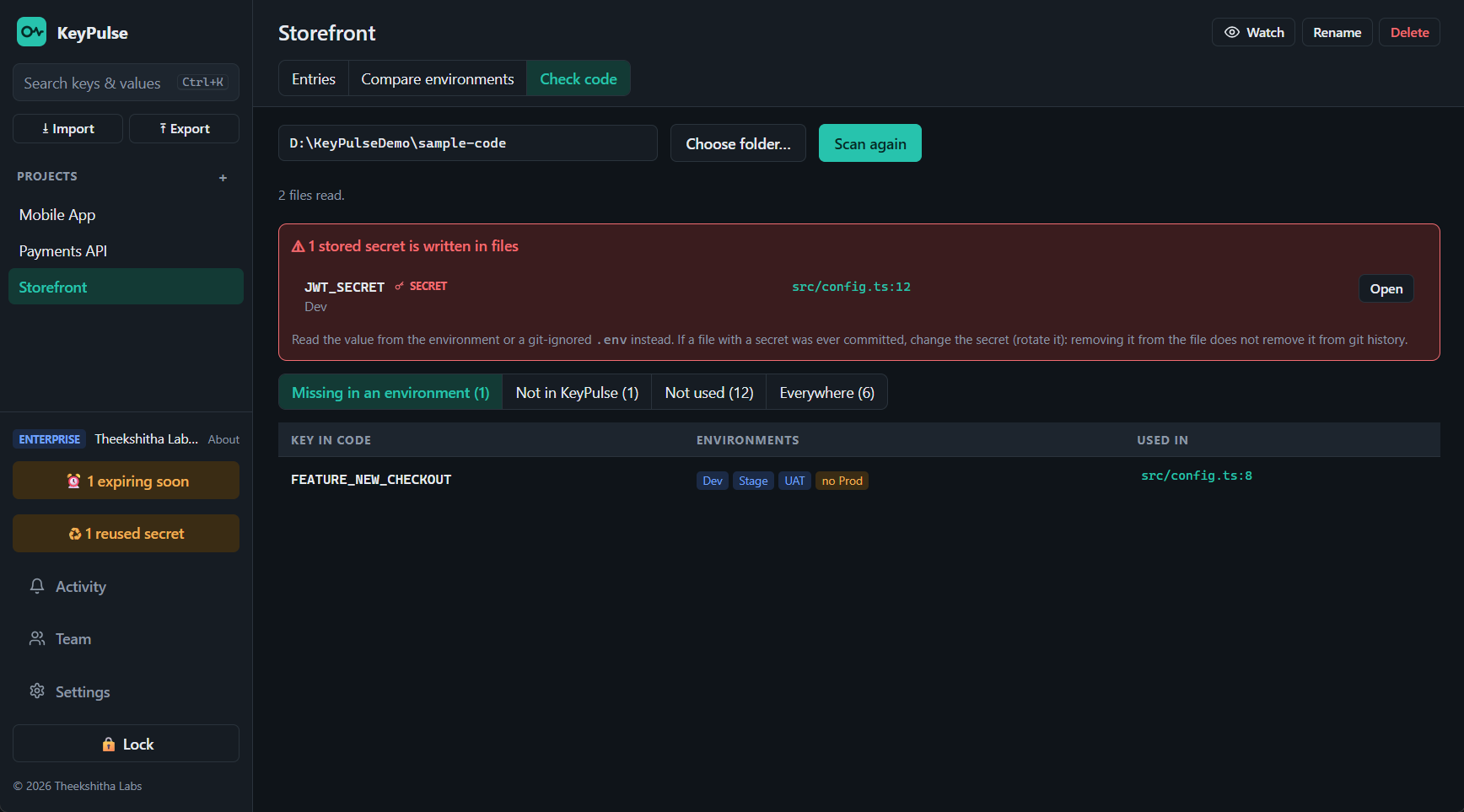
Check your code
Point KeyPulse at a code folder. It lists keys your code uses that the vault lacks, keys nobody uses, and stored secrets left in files.
- JS/TS, Python, Go, Rust, Java, .NET, PHP, Ruby, Docker and CI
- Warns when the file isn't ignored by git
- Runs on your computer; shows places, never values
Logins, databases and certificates
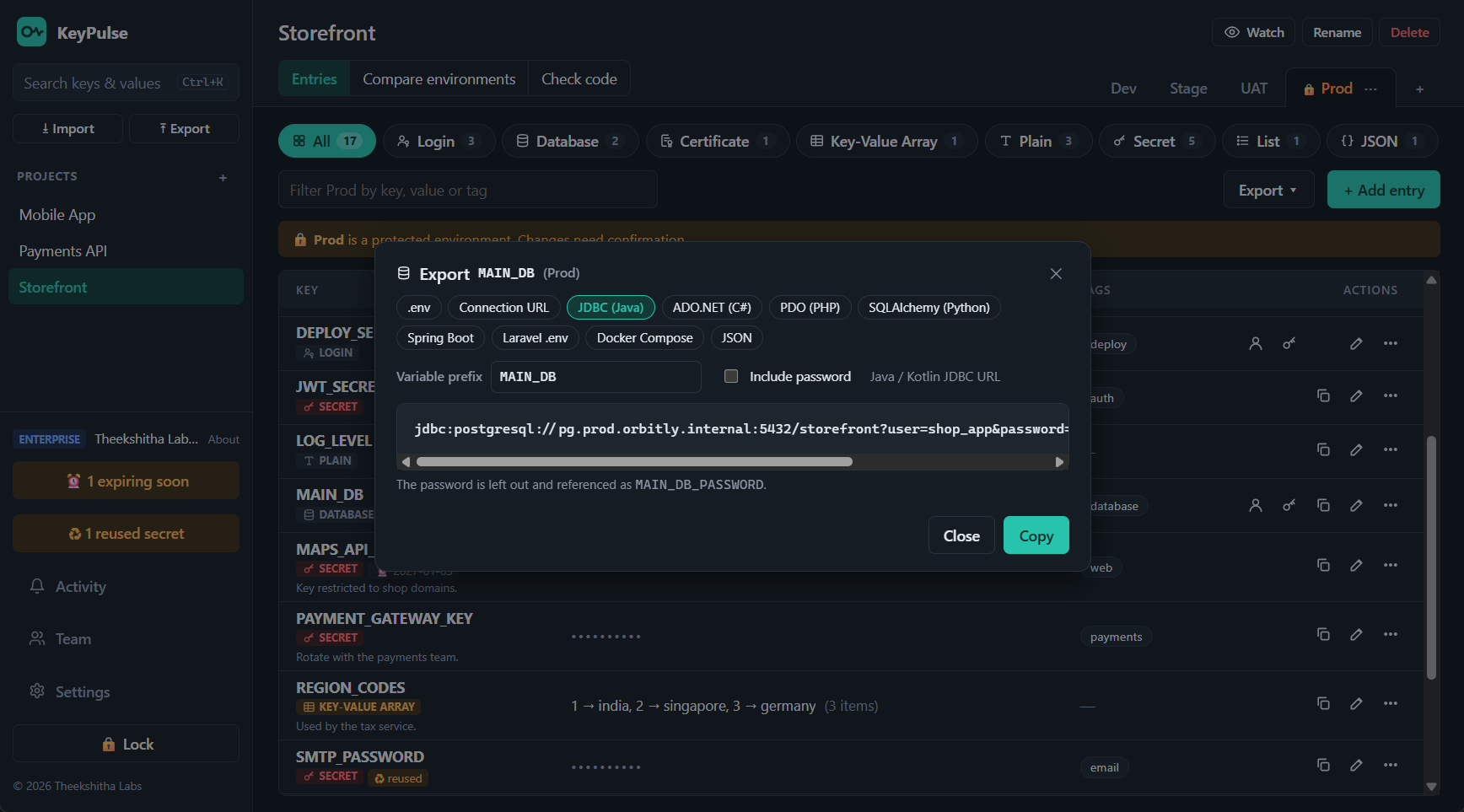
Not just strings. Each type knows its fields, hides what's secret, and exports the format you need.
- Database: connection URL, JDBC, ADO.NET, Spring, Laravel, Compose
- Login: web, SSH, Remote Desktop, SFTP, admin consoles
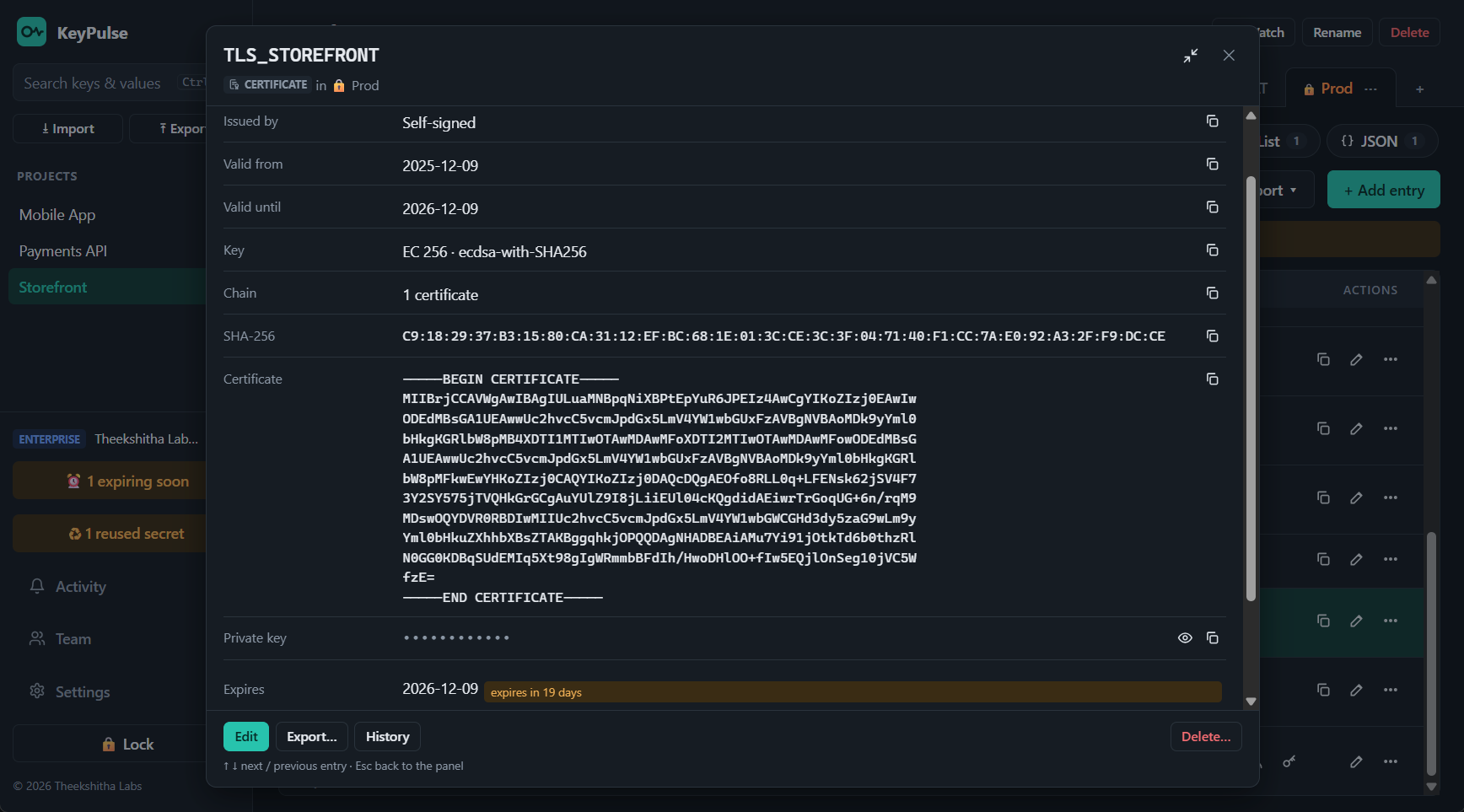
- Certificate: domains and expiry read from the PEM
Small things that prevent big incidents.
Protected Prod
Prod asks before every change. Deleting from it means typing its name.
Full history
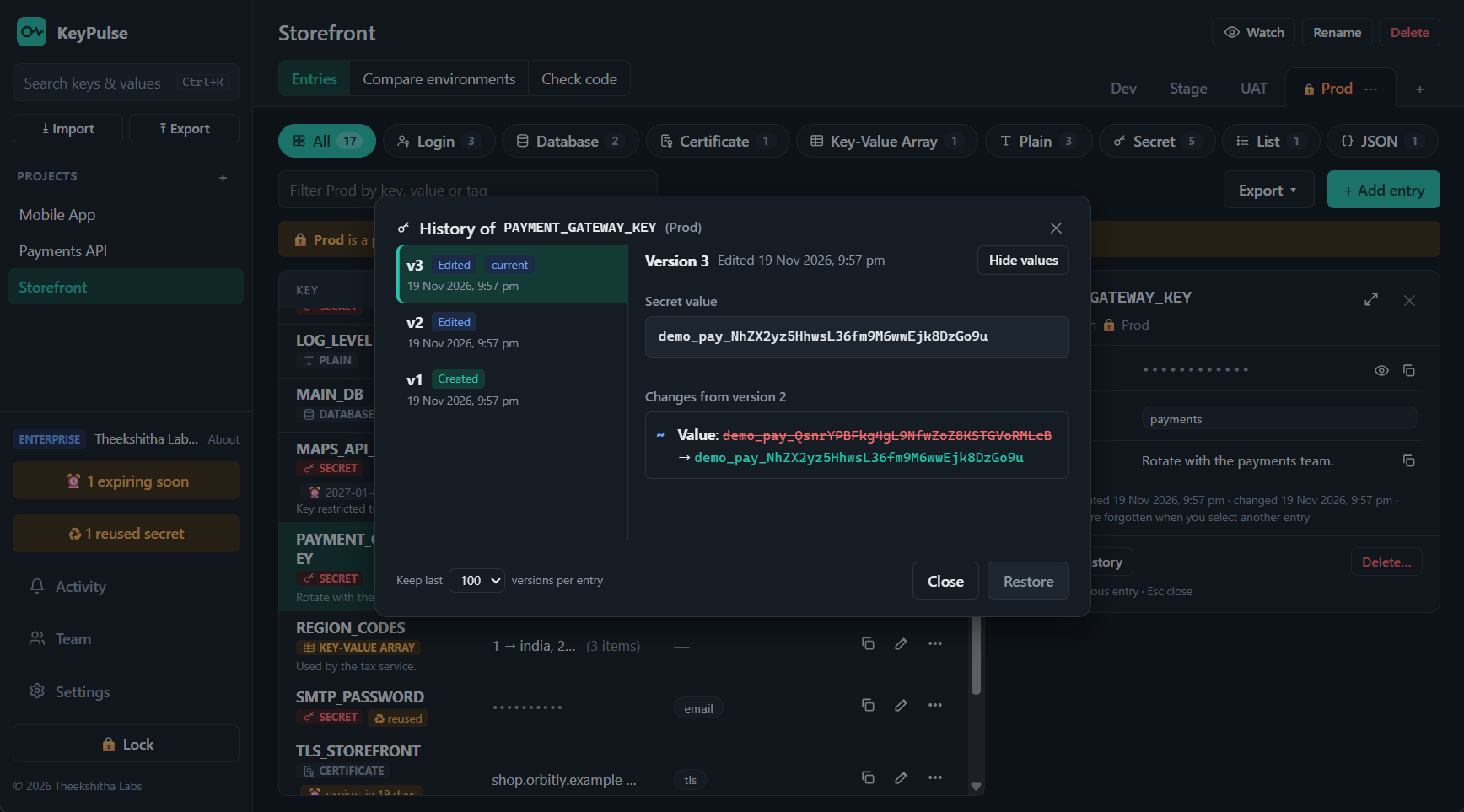
Every version of every entry, who changed it, and one click to restore.
Expiry reminders
Certificates, API keys and passwords warn you before they expire.
Reused secrets
See where the same password is used across projects and environments.
Browser extension
Fill logins in Chrome and Edge, with the environment on a badge and a red bar for Prod.
Import anything
.env, JSON, YAML, CSV, and exports from Bitwarden, 1Password, LastPass, KeePass and browsers.
Export as code
Copy an entry as PHP, Python, Java, JavaScript, TypeScript, C#, Go, Ruby or YAML.
Backups you can carry
Daily encrypted backups, and one before every big change. Keep an encrypted export on another disk too.
On your computers. That's the whole design.
There is no KeyPulse server that holds vaults. Share with your team through a server you run yourself, which only ever sees encrypted records.
An office server, in three steps.
- Install the team server on any office machine, or run it in Docker.
- Invite people. Each device is approved before it gets any keys.
- Share a project. Changes sync live, with who changed what.
Give juniors Dev and Stage without Prod. Every action goes to an audit log, and keys are rotated when someone leaves.
How the team server works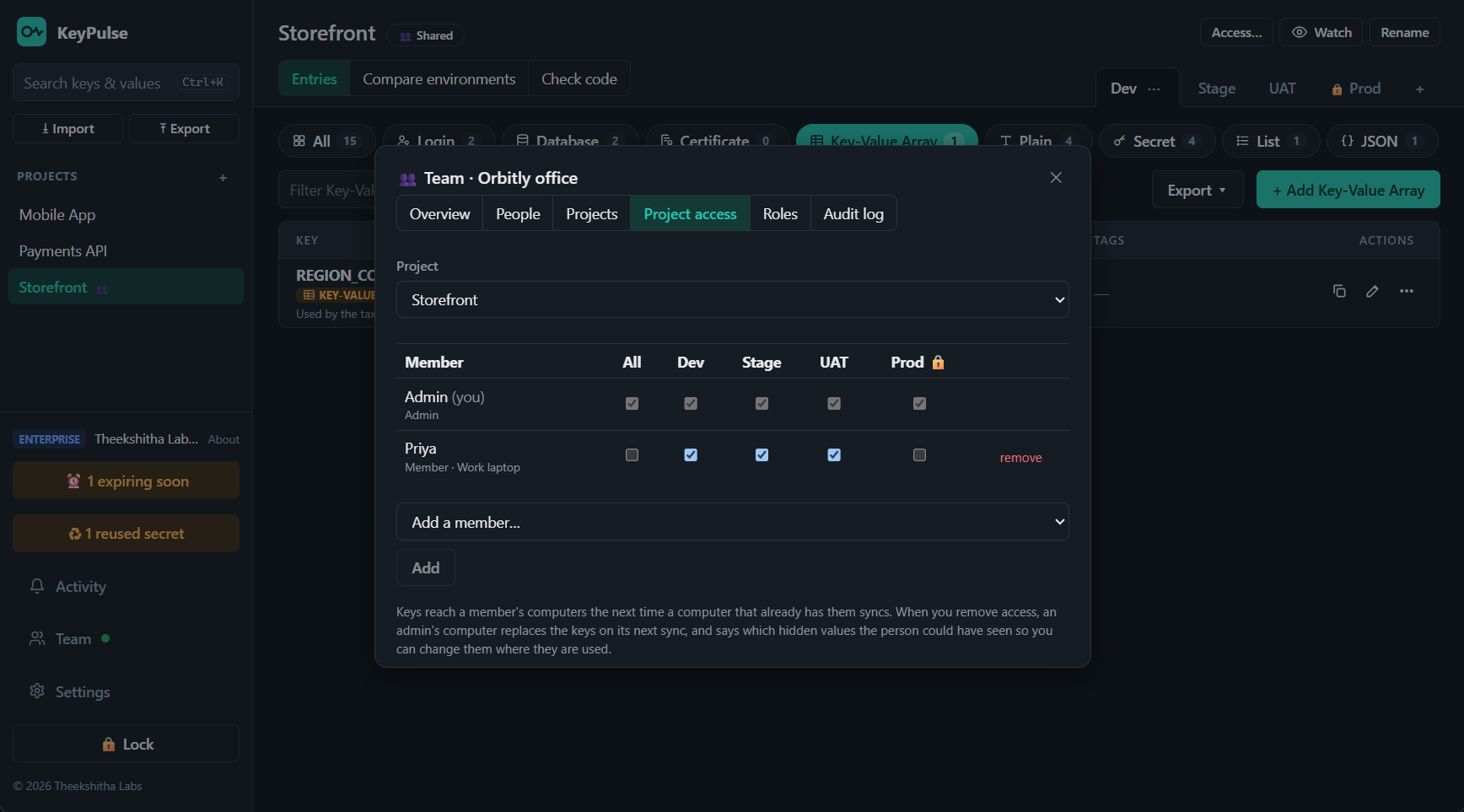
Use your keys without writing them to disk.
The keypulse CLI starts any program with an environment's values. The VS Code extension underlines keys your vault doesn't have. The CLI gives a script or AI agent the keys it needs at run time, without writing them to disk.
# start your app with Stage's values
$ keypulse run -p Storefront -e Stage -- npm start

# one value, one field
$ keypulse get MAIN_DB -e Dev --field host
pg.dev.orbitly.internal

# what expires in the next 30 days?
$ keypulse expiring --days 30
2026-12-09  Storefront / Prod  TLS_STOREFRONT  (expires in 20 days)
Pay once for yourself. Per seat for your office.
Start free. Try Pro for 14 days. No credit card for the trial.
Free
Try it, or keep a small personal vault.
Download free
- 1 project, every environment
- 50 entries, every entry type
- 7 days of change history
- Encryption, backups and auto-lock
- Protected Prod, expiry reminders, reused-secret warnings
- VS Code, Chrome and Edge extensions, and the CLI
- Import, and export as .env, JSON or code
- Encrypted .kpvault files to share or back up
Pro
One developer, every feature.
Buy Pro Or try 14 days free
- Everything in Free
- Unlimited projects and entries
- Compare environments and Check code
- Full change history
- Docker, Kubernetes, appsettings and shell exports
- One-time purchase. All 1.x updates included
- Use on 3 computers
Pro + Devy Tools
KeyPulse Pro, plus 234 offline developer tools.
Devy Tools Pro for $5 instead of $9
Buy both What's Devy Tools?- Everything in KeyPulse Pro
- Devy Tools Pro: all 234 tools, from JSON and JWT to SQL and regex
- Every tool runs offline, like KeyPulse
- Two license keys, each for 3 computers
- All KeyPulse 1.x and Devy 2.x updates included
- One payment, no subscription
Team
An office sharing projects on its own server.
Down to $29 per seat for larger offices
Buy Team Try 14 days on your server- Everything in Pro, for every member
- Team server on any office machine, or Docker
- The server only ever stores encrypted data
- Roles, per-environment access, device approval
- Live sync and who-changed-what
- Audit log; keys rotated when someone leaves
- 10% extra seats included (up to 200)
- Free for up to 3 people (1 shared project)
Frequently asked
Is it really offline?
Your vault is. KeyPulse stores, searches and encrypts everything on your computer and works with no internet. Only licensing goes online: starting a trial, activating a key once per computer, and checking for updates when you click it. Computers with no internet can activate with a request code instead. See exactly what is sent.
What happens if I lose my computer?
The vault is encrypted with your master password, so a lost laptop doesn't expose it. KeyPulse makes daily backups and one before every big change; copy the backups folder or an encrypted .kpvault export to another disk. Teams also have a copy on their own server.
Can my team use it without a server?
Yes. Export a project as an encrypted .kpvault file and share the passphrase separately. For live sharing, roles and an audit log, run the team server on any office machine or in Docker.
What does the one-time Pro price include?
Every feature, on 3 computers, One-time purchase. All 1.x updates included; no subscription and no renewal.
Do you see my data?
No. There is no KeyPulse server that holds vaults. The office server, if you use one, is yours and stores only encrypted records. We see only what licensing needs: your email, license key and a hashed computer ID.
Put every environment's keys in one place.
Works offline. Your vault stays on your device or your team's server. The Free plan needs no sign-up.
Windows · macOS · Linux